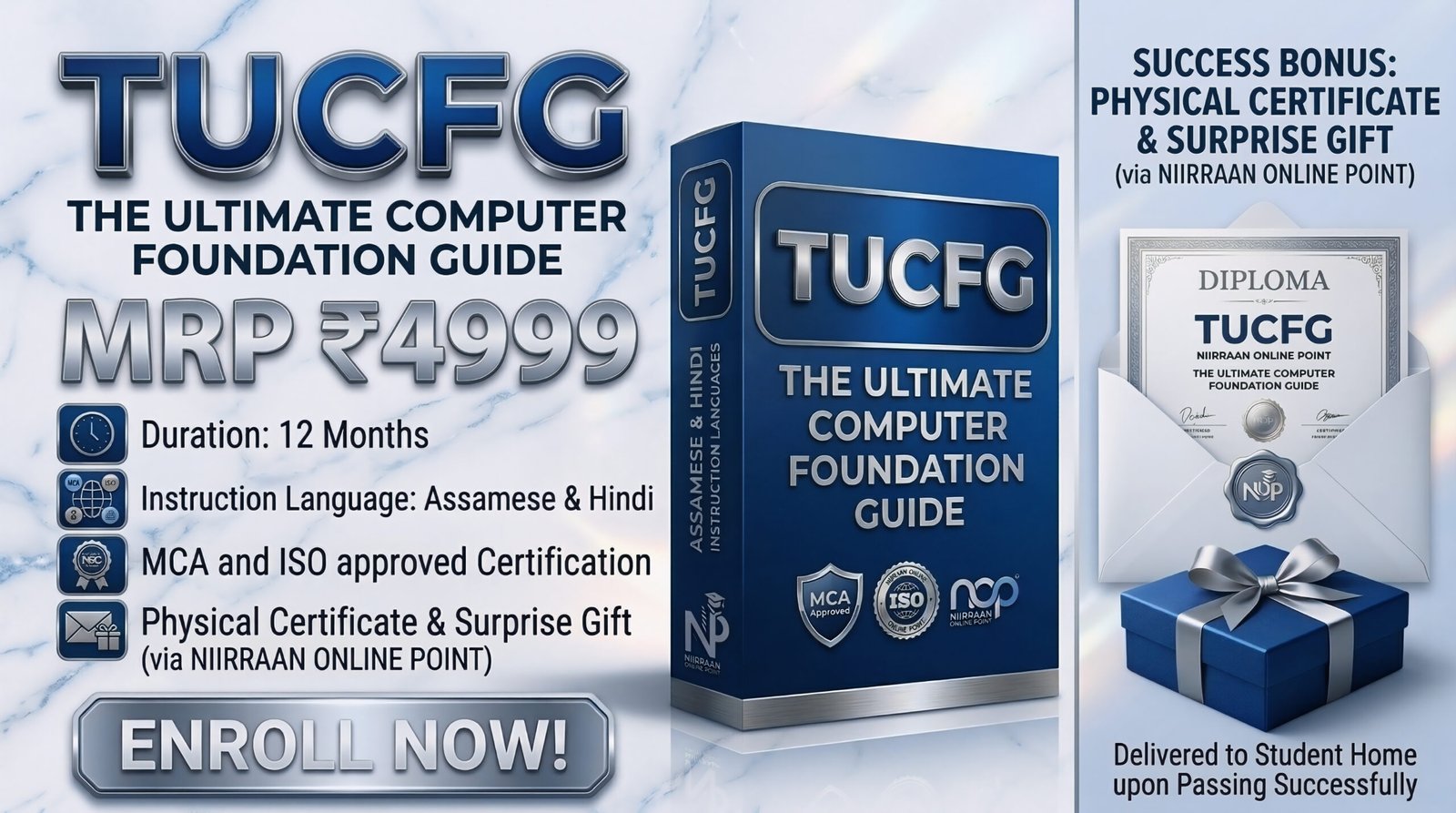
TUCFG = The Ultimate Computer Foundation Guide
Share Course
Page Link
Share on social media
Enrolled:0
Course level:All Levels
Last Updated:April 6, 2026
by
nirantantiofficial@gmail.com
Course Duration:
50h
₹4,599
₹4,999
Hi, Welcome back!
Course Curriculum
IMPORTANT_NOTICE !
-
ASSAMESE-NOTICE !
00:30 -
HINDI-NOTICE !
00:36
ASSAMESE – Module 1: Computer Basic Information (CBI)
-
Class 1: Concept of Computer & The IPO (Input-Process-Output) Cycle
-
Class 2: Hardware vs. Software: Understanding the Physical and Digital Worlds
-
Class 3: Practical Operations: Safely Boot, Restart, and Shut Down a PC
-
Class 4: Mouse Mastery: Left Click, Right Click, Double Click, & Drag-and-Drop
-
Class 5: Keyboard Layout: Alphanumeric, Numpad, special keys & Typing Posture
-
Class 6: File Management 101: Creating, Naming, and Renaming Folders
-
Class 7: Moving Data: Cut, Copy, Paste, and safely using the Recycle Bin
-
Class 8: Connecting to the World: Setting up Wi-Fi, LAN, and Mobile Hotspots
-
Class 9: Basic Troubleshooting: Using Task Manager to close frozen screens
-
Class 10: The Tech Glossary: Top 20 Shortcuts & Important IT Full Forms
ASSAMESE – Module 2: Useful Software & Hardware Knowledge (USAHG)
-
Class 11: MS Paint: Interface, Tools, Image Resizing, and Saving Formats
-
Class 12: Media & PDFs: Installing VLC Player and Adobe Acrobat Reader
-
Class 13: Desktop Chat: Setting up WhatsApp Web and Telegram on your PC
-
Class 14: Web Browsers: Chrome & Edge basics, Bookmarks, History, and Cache
-
Class 15: Gmail Setup: Creating an account and drafting professional emails
-
Class 16: Gmail Advanced: Attachments, CC vs. BCC, and Custom Signatures
-
Class 17: Google Drive: Cloud storage basics, uploading files, and sharing links
-
Class 18: Google Sheets: Real-time online data entry and collaboration
-
Class 19: ShareX: Capturing specific screen regions and adding text/arrows
-
Class 20: Notion AIO: Setting up an account and creating your first workspace
-
Class 21: Notion Practical: Building functional To-Do lists and personal databases
-
Class 22: OBS Studio: Installation, Interface, and setting up your first “Scene”
-
Class 23: OBS Studio: Configuring Display Capture and Audio for Screen Recording
-
Class 24: YouTube Mastery: Channel Setup, Uploading, and SEO Title writing
-
Class 25: YouTube Mastery: Uploading custom thumbnails and playlist management
-
Class 26: MS Word (Basics): Interface navigation and basic text formatting
-
Class 27: MS Word (Basics): Page Setup, Margins, Orientation, and Alignment
-
Class 28: MS Excel (Basics): Understanding Rows, Columns, Cells, and Workbooks
-
Class 29: MS Excel (Basics): Simple Math Formulas (SUM, AVERAGE, MIN, MAX)
-
Class 30: MS PowerPoint (Basics): Slide creation, Layouts, and Theme selection
-
Class 31: MS PowerPoint (Advanced): Applying Transitions and Custom Animations
-
Class 32: MS PowerPoint (Advanced): Inserting Multimedia and presentation delivery
-
Class 33: MS Word (Advanced): Inserting Tables, SmartArt, and Page Borders
-
Class 34: MS Word (Advanced): Step-by-Step Mail Merge for corporate letters
-
Class 35: MS Excel (Advanced): Sorting data (A-Z) and applying Custom Filters
-
Class 36: MS Excel (Advanced): Using IF conditions and Logical formulas
-
Class 37: MS Excel (Advanced): Mastering VLOOKUP and Data Validation
-
Class 38: MS Excel (Advanced): Pivot Tables and creating visual Data Charts
-
Class 39: MS Access: Database concepts and creating your first structured Table
-
Class 40: MS Access: Designing Data Entry Forms and simple Reports
-
Class 41: DaVinci Resolve: Importing video footage and navigating the timeline
-
Class 42: DaVinci Resolve: Cutting, trimming, adding text, and exporting video
-
Class 43: Remote Desktop: Installing and safely using AnyDesk and TeamViewer
-
Class 44: Adobe Photoshop: Workspace overview, Layers, and Resolution
-
Class 45: Adobe Photoshop: Selection Tools and precise Background Removal
-
Class 46: Adobe Photoshop: Creating an automated Passport-Size Photo sheet
-
Class 47: Adobe Photoshop: Color correction and basic facial retouching
-
Class 48: PageMaker: DTP basics, Master Pages, and Column layout for printing
-
Class 49: Tally Prime: Introduction to digital accounting and Company Creation
-
Class 50: Tally Prime: Managing Ledgers and passing basic Voucher Entries
-
Class 51: Tally Prime: Generating the Balance Sheet and P&L Reports
-
Class 52: Power Automate: Introduction to automating repetitive Windows tasks
-
Class 53: Windows OS: Managing User Accounts and advanced Control Panel settings
-
Class 54: Mac OS: Navigating Finder, Spotlight search, and the Apple ecosystem
-
Class 55: Linux OS: Introduction to Ubuntu interface and basic terminal commands
-
Class 56: Hardware Drivers: Identifying missing drivers and downloading them safely
-
Class 57: System Security: Installing Antivirus and running full system malware scans
-
Class 58: Hardware Architecture: Understanding the Motherboard and CPU
-
Class 59: Hardware Architecture: RAM (Memory) vs. Storage Drives (HDD/SSD)
-
Class 60: Hardware Architecture: Power Supply (SMPS) and internal cabling
-
Class 61: PC Assembly (Part 1): Safely installing the CPU and thermal paste
-
Class 62: PC Assembly (Part 2): Seating the RAM and mounting the Motherboard
-
Class 63: PC Assembly (Part 3): Connecting power cables and the first system boot
ASSAMESE – Module 3: Present & Permanent Digital Skills (PAEDS)
-
Class 64: Printout & Xerox: Connecting a printer and adjusting page properties
-
Class 65: Document Scanning: Converting physical papers into clear PDF files
-
Class 66: Online Shopping: Creating Amazon/Flipkart accounts and reading reviews
-
Class 67: Online Shopping: Safe ordering, tracking deliveries, and processing returns
-
Class 68: Digital Payments: Setting up Paytm/PhonePe and linking bank accounts
-
Class 69: BHIM UPI: Scanning QR codes, transferring funds, and avoiding fraud
-
Class 70: Job Portals: Creating a highly visible profile on LinkedIn and Naukri
-
Class 71: Job Applications: Uploading resumes and tracking application statuses
-
Class 72: CSC & E-Governance: Navigating portals to download PAN and Aadhar
-
Class 73: Image Resizing: Compressing photos and signatures for Govt online forms
-
Class 74: ChatGPT & AI: Account setup and introduction to Generative AI
-
Class 75: ChatGPT Mastery: Prompt engineering to get the exact answers you need
-
Class 76: AI in the Office: Using ChatGPT to draft emails and generate Excel formulas
-
Class 77: POS Retail Billing: Introduction to Cashier software and UI navigation
-
Class 78: POS Operations: Scanning barcodes, generating invoices, and managing cash
-
Class 79: Web Dev Basics: Understanding Domains, Web Hosting, and Servers
-
Class 80: HTML Foundations: Writing basic tags to structure a web page
-
Class 81: Web Dev (No-Code AI): Using AI website builders to launch sites instantly
-
Class 82: Web Dev (No-Code AI): Customizing layouts and publishing AI-generated sites
-
Class 83: Web Dev (Advanced AI): Using ChatGPT to write custom HTML/CSS code
-
Class 84: App Dev Basics: Understanding Android vs. iOS and the app lifecycle
-
Class 85: App Dev (No-Code): Building simple apps using drag-and-drop platforms
ASSAMESE – Module 4: Your Useful Selected Area of Domain (YUSAD)
-
Class 86: The Instructor’s Journey: Evaluating the tech market and making a pivot
-
Class 87: The Instructor’s Journey: Why choosing a specific niche is crucial for income
-
Class 88: Choosing Your Domain: Analyzing your personal strengths and weaknesses
-
Class 89: Choosing Your Domain: Creative Fields (Design) vs. Logical Fields (Coding)
-
Class 90: Choosing Your Domain: Evaluating current market demand and salaries
-
Class 91: The Decision Matrix: A framework to filter out the noise and pick a path
-
Class 92: Locking Your Path: Committing to your selected tech specialization
ASSAMESE – Module 5: Advancement In Your Selected Area (AAYSA)
-
Class 93: Progression: The importance of continuous learning and upskilling
-
Class 94: Portfolio Building: Showcasing your work to clients without prior experience
-
Class 95: The Freelance Economy: Setting up an Upwork profile and finding clients
-
Class 96: Professional Networking: Using LinkedIn to connect with recruiters globally
-
Class 97: AAYSA Guide: Setting a strict and actionable 1-Year Goal plan
-
Class 98: AAYSA Guide: Structuring your 3-Year and 5-Year career milestones
-
Class 99: Future-Proofing: How to stay relevant and adaptable amidst AI disruptions
-
Class 100: The Final Roadmap: Future-Proofing Your Career with AI & Automation
HINDI – Module 1: Computer Basic Information (CBI)
-
Class 1: Concept of Computer & The IPO (Input-Process-Output) Cycle
-
Class 2: Hardware vs. Software: Understanding the Physical and Digital Worlds
-
Class 3: Practical Operations: Safely Boot, Restart, and Shut Down a PC
-
Class 4: Mouse Mastery: Left Click, Right Click, Double Click, & Drag-and-Drop
-
Class 5: Keyboard Layout: Alphanumeric, Numpad, special keys & Typing Posture
-
Class 6: File Management 101: Creating, Naming, and Renaming Folders
-
Class 7: Moving Data: Cut, Copy, Paste, and safely using the Recycle Bin
-
Class 8: Connecting to the World: Setting up Wi-Fi, LAN, and Mobile Hotspots
-
Class 9: Basic Troubleshooting: Using Task Manager to close frozen screens
-
Class 10: The Tech Glossary: Top 20 Shortcuts & Important IT Full Forms
HINDI – Module 2: Useful Software & Hardware Knowledge (USAHG)
-
Class 11: MS Paint: Interface, Tools, Image Resizing, and Saving Formats
-
Class 12: Media & PDFs: Installing VLC Player and Adobe Acrobat Reader
-
Class 13: Desktop Chat: Setting up WhatsApp Web and Telegram on your PC
-
Class 14: Web Browsers: Chrome & Edge basics, Bookmarks, History, and Cache
-
Class 15: Gmail Setup: Creating an account and drafting professional emails
-
Class 16: Gmail Advanced: Attachments, CC vs. BCC, and Custom Signatures
-
Class 17: Google Drive: Cloud storage basics, uploading files, and sharing links
-
Class 18: Google Sheets: Real-time online data entry and collaboration
-
Class 19: ShareX: Capturing specific screen regions and adding text/arrows
-
Class 20: Notion AIO: Setting up an account and creating your first workspace
-
Class 21: Notion Practical: Building functional To-Do lists and personal databases
-
Class 22: OBS Studio: Installation, Interface, and setting up your first “Scene”
-
Class 23: OBS Studio: Configuring Display Capture and Audio for Screen Recording
-
Class 24: YouTube Mastery: Channel Setup, Uploading, and SEO Title writing
-
Class 25: YouTube Mastery: Uploading custom thumbnails and playlist management
-
Class 26: MS Word (Basics): Interface navigation and basic text formatting
-
Class 27: MS Word (Basics): Page Setup, Margins, Orientation, and Alignment
-
Class 28: MS Excel (Basics): Understanding Rows, Columns, Cells, and Workbooks
-
Class 29: MS Excel (Basics): Simple Math Formulas (SUM, AVERAGE, MIN, MAX)
-
Class 30: MS PowerPoint (Basics): Slide creation, Layouts, and Theme selection
-
Class 31: MS PowerPoint (Advanced): Applying Transitions and Custom Animations
-
Class 32: MS PowerPoint (Advanced): Inserting Multimedia and presentation delivery
-
Class 33: MS Word (Advanced): Inserting Tables, SmartArt, and Page Borders
-
Class 34: MS Word (Advanced): Step-by-Step Mail Merge for corporate letters
-
Class 35: MS Excel (Advanced): Sorting data (A-Z) and applying Custom Filters
-
Class 36: MS Excel (Advanced): Using IF conditions and Logical formulas
-
Class 37: MS Excel (Advanced): Mastering VLOOKUP and Data Validation
-
Class 38: MS Excel (Advanced): Pivot Tables and creating visual Data Charts
-
Class 39: MS Access: Database concepts and creating your first structured Table
-
Class 40: MS Access: Designing Data Entry Forms and simple Reports
-
Class 41: DaVinci Resolve: Importing video footage and navigating the timeline
-
Class 42: DaVinci Resolve: Cutting, trimming, adding text, and exporting video
-
Class 43: Remote Desktop: Installing and safely using AnyDesk and TeamViewer
-
Class 44: Adobe Photoshop: Workspace overview, Layers, and Resolution
-
Class 45: Adobe Photoshop: Selection Tools and precise Background Removal
-
Class 46: Adobe Photoshop: Creating an automated Passport-Size Photo sheet
-
Class 47: Adobe Photoshop: Color correction and basic facial retouching
-
Class 48: PageMaker: DTP basics, Master Pages, and Column layout for printing
-
Class 49: Tally Prime: Introduction to digital accounting and Company Creation
-
Class 50: Tally Prime: Managing Ledgers and passing basic Voucher Entries
-
Class 51: Tally Prime: Generating the Balance Sheet and P&L Reports
-
Class 52: Power Automate: Introduction to automating repetitive Windows tasks
-
Class 53: Windows OS: Managing User Accounts and advanced Control Panel settings
-
Class 54: Mac OS: Navigating Finder, Spotlight search, and the Apple ecosystem
-
Class 55: Linux OS: Introduction to Ubuntu interface and basic terminal commands
-
Class 56: Hardware Drivers: Identifying missing drivers and downloading them safely
-
Class 57: System Security: Installing Antivirus and running full system malware scans
-
Class 58: Hardware Architecture: Understanding the Motherboard and CPU
-
Class 59: Hardware Architecture: RAM (Memory) vs. Storage Drives (HDD/SSD)
-
Class 60: Hardware Architecture: Power Supply (SMPS) and internal cabling
-
Class 61: PC Assembly (Part 1): Safely installing the CPU and thermal paste
-
Class 62: PC Assembly (Part 2): Seating the RAM and mounting the Motherboard
-
Class 63: PC Assembly (Part 3): Connecting power cables and the first system boot
HINDI – Module 3: Present & Permanent Digital Skills (PAEDS)
-
Class 64: Printout & Xerox: Connecting a printer and adjusting page properties
-
Class 65: Document Scanning: Converting physical papers into clear PDF files
-
Class 66: Online Shopping: Creating Amazon/Flipkart accounts and reading reviews
-
Class 67: Online Shopping: Safe ordering, tracking deliveries, and processing returns
-
Class 68: Digital Payments: Setting up Paytm/PhonePe and linking bank accounts
-
Class 69: BHIM UPI: Scanning QR codes, transferring funds, and avoiding fraud
-
Class 70: Job Portals: Creating a highly visible profile on LinkedIn and Naukri
-
Class 71: Job Applications: Uploading resumes and tracking application statuses
-
Class 72: CSC & E-Governance: Navigating portals to download PAN and Aadhar
-
Class 73: Image Resizing: Compressing photos and signatures for Govt online forms
-
Class 74: ChatGPT & AI: Account setup and introduction to Generative AI
-
Class 75: ChatGPT Mastery: Prompt engineering to get the exact answers you need
-
Class 76: AI in the Office: Using ChatGPT to draft emails and generate Excel formulas
-
Class 77: POS Retail Billing: Introduction to Cashier software and UI navigation
-
Class 78: POS Operations: Scanning barcodes, generating invoices, and managing cash
-
Class 79: Web Dev Basics: Understanding Domains, Web Hosting, and Servers
-
Class 80: HTML Foundations: Writing basic tags to structure a web page
-
Class 81: Web Dev (No-Code AI): Using AI website builders to launch sites instantly
-
Class 82: Web Dev (No-Code AI): Customizing layouts and publishing AI-generated sites
-
Class 83: Web Dev (Advanced AI): Using ChatGPT to write custom HTML/CSS code
-
Class 84: App Dev Basics: Understanding Android vs. iOS and the app lifecycle
-
Class 85: App Dev (No-Code): Building simple apps using drag-and-drop platforms
HINDI – Module 4: Your Useful Selected Area of Domain (YUSAD)
-
Class 86: The Instructor’s Journey: Evaluating the tech market and making a pivot
-
Class 87: The Instructor’s Journey: Why choosing a specific niche is crucial for income
-
Class 88: Choosing Your Domain: Analyzing your personal strengths and weaknesses
-
Class 89: Choosing Your Domain: Creative Fields (Design) vs. Logical Fields (Coding)
-
Class 90: Choosing Your Domain: Evaluating current market demand and salaries
-
Class 91: The Decision Matrix: A framework to filter out the noise and pick a path
-
Class 92: Locking Your Path: Committing to your selected tech specialization
HINDI – Module 5: Advancement In Your Selected Area (AAYSA)
-
Class 93: Progression: The importance of continuous learning and upskilling
-
Class 94: Portfolio Building: Showcasing your work to clients without prior experience
-
Class 95: The Freelance Economy: Setting up an Upwork profile and finding clients
-
Class 96: Professional Networking: Using LinkedIn to connect with recruiters globally
-
Class 97: AAYSA Guide: Setting a strict and actionable 1-Year Goal plan
-
Class 98: AAYSA Guide: Structuring your 3-Year and 5-Year career milestones
-
Class 99: Future-Proofing: How to stay relevant and adaptable amidst AI disruptions
-
Class 100: The Final Roadmap: Future-Proofing Your Career with AI & Automation
Target Audience
- Beginners wanting to build a strong, ground-up foundation in computer and digital skills.
- Students and professionals who prefer learning complex technical concepts in Assamese or Hindi.
- Individuals aiming to upgrade their skills for the freelance economy or professional job market.
What I will learn?
- Master computer basics, hardware architecture, PC assembly, and system security.
- Gain proficiency in essential digital tools, including Google Workspace, email management, and web browsing.
- Learn advanced creative software like Adobe Photoshop, DaVinci Resolve for video editing, and OBS Studio.
- Manage financial accounting and business billing using Tally Prime.
- Develop career-building skills by navigating job portals, LinkedIn, and freelancing platforms like Upwork.
Tags
Material Includes
- Comprehensive video lectures covering modules from basic computing to advanced software.
- Interactive quizzes and assignments to test practical knowledge.
- An MCA and ISO approved Certification upon successful completion.
- A physical diploma certificate and a surprise gift delivered directly to your home upon passing.
Requirements
- A basic understanding of either the Assamese or Hindi language to follow the instruction.
- A desktop computer or laptop with an internet connection to practice the skills taught in the course.
- No prior technical background is required to start learning.
Description
TUCFG = The Ultimate Computer Foundation Guide